How to Set Up a Professional Business Email With Your Domain?

 5th March, 2026
 17 min read
 Most people start their online journey with a simple email like yourname@gmail.com. It works. It sends messages. And, It gets the job done.
But the moment you start a business or launch a website, something feels slightly off when you send emails to clients from that address.
Imagine receiving two emails.
One from johnmarketing@gmail.com
Another from john@yourcompany.com
Both might say the same thing. Yet one instantly feels more trustworthy.
That small difference is what separates a casual email from a professional presence.
The good news is this. Setting up your own branded email is not complicated. Once you understand the process, you can create business email with domain in less time than it takes to design a website page.
In this guide, we will walk through the entire process in simple steps. By the end, you will know exactly how to set up a professional email that matches your brand and builds instant credibility.
What is a Business Email With a Domain?
Let’s picture a simple situation.
You run a small business. A potential client asks for your contact email. You reply with yourname@gmail.com.
It works. But it does not immediately communicate your brand.
Now imagine replying with yourname@yourcompany.com.
Same message. Same person. Yet the second one instantly feels more official.
That is the core idea behind a business email with a domain. Instead of using a free email provider’s name after the @ symbol, the address uses your own website domain.
For example
• info@yourcompany.com
• support@yourcompany.com
• contact@yourbrand.com
In other words, the email becomes part of your digital identity.
When you create business email with domain, you connect your email service to the same domain name your website uses. Think of it like putting your company logo on your email address. It makes every message look like it came directly from your organization rather than a personal inbox.
Technically, this works through something called email hosting. The provider manages the mail servers while your domain tells the internet where messages should go. Once connected, you can send and receive emails using your branded address from webmail, mobile apps, or desktop tools.
The result is simple but powerful. Every email you send carries your brand name with it. Over time, that small detail quietly builds trust with clients, partners, and customers.
Why Using Your Own Domain Matters?
At first glance, an email address might seem like a small detail. As long as messages arrive, it feels like everything is working fine.
But in business communication, small signals matter. An email address is often the first interaction someone has with your brand. It quietly shapes how professional and trustworthy you appear.
When you create business email with domain, your messages immediately carry your brand identity. Instead of looking like a personal inbox, your communication looks like it belongs to a real organization.
Here is why that difference matters.
1. It Builds Instant Credibility
Imagine receiving two proposals.
One comes from alexdesign@gmail.com.
The other arrives from alex@designstudio.com.
Most people instinctively trust the second one more. A domain based email suggests that the business has its own website, infrastructure, and a level of commitment.
It signals stability.
2. Your Brand Travels With Every Email
Every time you send a message, your domain name appears right beside your name. That means your brand is visible in every conversation.
Over time, people start associating your domain with your business identity. This quiet repetition strengthens brand recognition without any extra marketing effort.
When you create business email with domain, your email becomes a small branding tool working in the background.
3. It Improves Email Deliverability
Many spam filters treat free email addresses differently from domain based business emails. When businesses rely only on free providers, their messages may appear less trustworthy to automated filters.
A properly configured business email system allows authentication tools like SPF, DKIM, and DMARC to verify your identity. That helps your emails reach inboxes instead of spam folders.
4. It Keeps Business Communication Organized
With domain based email, you can create structured addresses such as
• support@yourdomain.com
• sales@yourdomain.com
• billing@yourdomain.com
These role based addresses make teams easier to manage. They also help customers know exactly where to send their requests.
5. It Scales As Your Business Grows
Free email accounts are designed for individuals. Businesses need flexibility.
When you create business email with domain, you can add new accounts as your team grows, assign departments, and manage users from a central dashboard. The system grows alongside your organization.
In simple terms, a domain based email address is not just about sending messages. It quietly communicates professionalism, strengthens brand identity, and builds trust with every email you send.
What You Need Before Setting It Up?
Before you create a professional email for your business, there are a few basic pieces that need to be in place. Think of it like setting up an office. You need the address, the communication system, and access to manage everything.
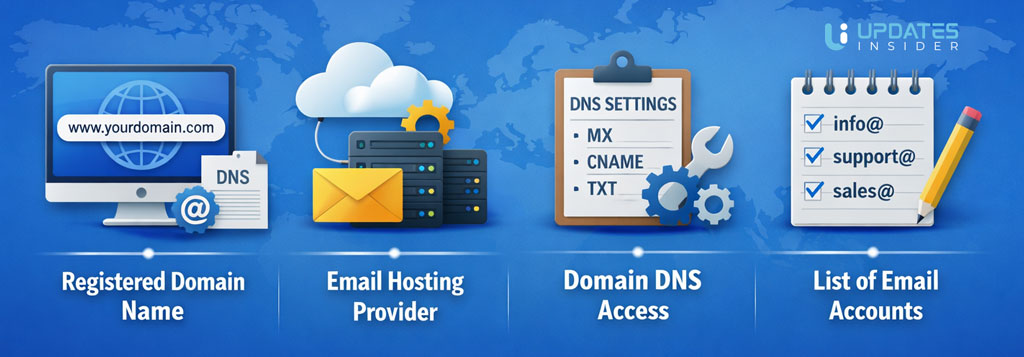
The good news is that these requirements are simple. Once you have them ready, the process to create business email with domain becomes straightforward.
1. A Registered Domain Name
Your domain is the foundation of your email identity. It is the part that appears after the @ symbol.
For example
• contact@yourcompany.com
• support@yourbrand.com
If you already have a website, you likely already own a domain. If not, the first step is to register one through a domain registrar.
Choose something simple, memorable, and closely connected to your brand name. The same domain will power both your website and your business email.
2. An Email Hosting Provider
Once you have a domain, you need a service that actually handles sending and receiving emails. This is called email hosting.
These providers maintain the mail servers that store your messages, protect them, and deliver them across the internet.
Popular platforms include services that specialize in business communication and team collaboration. They also provide webmail access, mobile syncing, spam filtering, and security features.
When you create business email with domain, the hosting provider acts as the system that powers your inbox.
3. Access to Your Domain DNS Settings
To connect your email system to your domain, you will need access to something called DNS settings.
This might sound technical, but it simply means the control panel where your domain records are managed. Here you will add a few records that tell the internet where your email should be delivered.
Think of DNS like a digital address book. Once the correct records are added, incoming messages know exactly where to go.
4. A List of Email Accounts You Want to Create
Before setting everything up, it helps to decide what email addresses your business will use.
Common examples include
• info@yourdomain.com
• support@yourdomain.com
• sales@yourdomain.com
• firstname@yourdomain.com
Planning this early keeps your communication organized as your team grows.
With these basics ready, you are fully prepared to move into the actual setup process. The next step is where everything comes together and you finally create business email with domain for your brand.
Step by Step Guide to Create Business Email With Domain
Once the basics are ready, the setup becomes a clear sequence of actions. Think of it like connecting a new phone line to your office. You assign the number, connect the system, and test the connection.
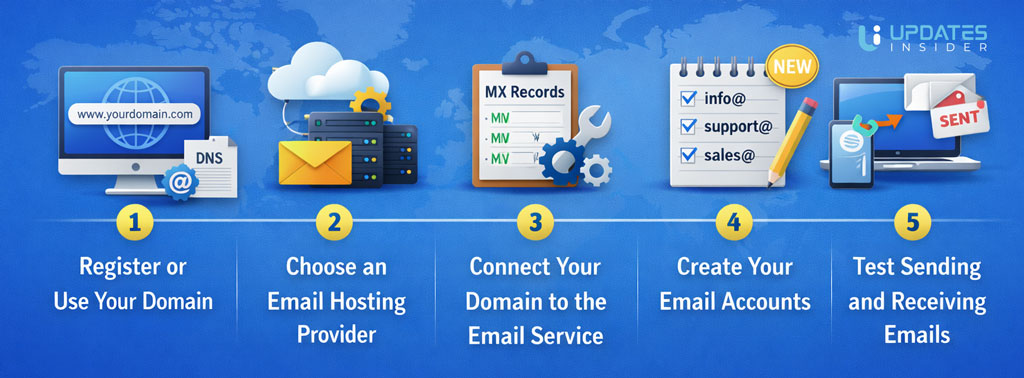
Follow these steps to create business email with domain and start sending professional messages from your brand address.
Step 1. Register or Use Your Domain
Your domain is the identity behind the email address. It is the part that appears after the @ symbol.
Examples
• info@yourcompany.com
• contact@yourbrand.com
If you already have a website, you can use the same domain for email. If not, you can register one through a domain provider. Choose something short, clear, and connected to your brand name.
Step 2. Choose an Email Hosting Provider
Next, you need a service that manages your mailboxes. This is where your emails will be stored and processed.
Most providers offer features such as
• webmail access
• mobile and desktop syncing
• spam filtering
• security tools
When businesses create business email with domain, the hosting provider becomes the engine that powers their inbox.
Step 3. Connect Your Domain to the Email Service
This is where your domain and email provider start working together.
Inside your domain control panel, you will add special records called MX records. These records tell the internet where emails for your domain should be delivered.
Think of it like updating the forwarding address for your mail. Once the records are added, messages sent to your domain will reach the correct mail servers.
Step 4. Create Your Email Accounts
Now you can create actual inboxes for your team.
Common formats include
• name@yourdomain.com
• support@yourdomain.com
• sales@yourdomain.com
You can create individual accounts for employees or role based addresses for departments.
When you create business email with domain, this is the moment your brand identity officially becomes part of every email sent.
Step 5. Test Sending and Receiving Emails
The final step is simple but important. Send a few test messages.
Check that
• emails arrive in your inbox
• messages send correctly
• replies work without errors
You can also test from different providers to confirm everything is functioning properly.
Once this is done, your professional email system is fully active. From this point forward, every message you send carries your brand name, helping you build credibility and trust with every conversation.
Popular Platforms to Use
Once you decide to create business email with domain, the next step is choosing the platform that will host your email system. Think of this platform as the office building where all your company mailboxes live.
Different providers offer different strengths. Some focus on collaboration tools. Others prioritize security or affordability. Here are some of the most widely used options businesses choose today.
Google Workspace
Google Workspace is one of the most popular platforms for professional email. It powers the familiar Gmail interface but allows you to use your own domain.
When businesses create business email with domain using this platform, they also get access to tools like Google Drive, Docs, Sheets, Calendar, and Meet. Everything connects smoothly, which makes collaboration easy for teams.
It works especially well for companies already using Google tools for daily work.
Microsoft 365
Microsoft 365 is another major platform used by businesses around the world. It runs email through Outlook and integrates tightly with tools like Word, Excel, PowerPoint, and Teams.
Companies that rely on Microsoft software often prefer this ecosystem. It offers strong administrative controls, security features, and large scale infrastructure for growing organizations.
Learn More: Google Workspace vs Microsoft 365 for Business Email
Zoho Mail
Zoho Mail is widely known for its affordability and strong business features. Many startups and small businesses choose it because it provides custom domain email without the higher price of larger platforms.
It also connects with Zoho’s wider ecosystem, including CRM tools, document apps, and collaboration software.
Proton Mail
Proton Mail focuses heavily on privacy and security. The platform uses end to end encryption to protect messages so that only the sender and recipient can read them.
For businesses dealing with sensitive communication, this extra privacy layer can be valuable.
Other Lightweight Options
Some smaller platforms are also designed for entrepreneurs and freelancers who want a simple way to create business email with domain. Providers like Fastmail or Neo Mail offer streamlined setups without the complexity of full productivity suites.
These can be useful when the main goal is simply running professional email without managing a large collaboration system.
The right platform usually depends on how your business works. Some teams need a full productivity suite. Others just want reliable email tied to their domain.
Either way, the key outcome is the same. Once you create business email with domain, every message you send carries your brand name with it.
How to Access Your Business Email?
Once you create business email with domain, the next question is simple. How do you actually read and send messages?
The good news is that modern email systems are flexible. You are not limited to one way of checking your inbox. Whether you are at your desk, traveling, or working from your phone, your email stays accessible.
Webmail Access
The easiest way to access your business email is through webmail.
Most email hosting providers offer a browser based dashboard where you can log in and manage your inbox. It works just like any regular email service. Open a browser, sign in with your credentials, and your messages appear instantly.
Webmail is helpful when you need quick access from different computers without installing anything.
Email Apps on Desktop
Many professionals prefer using dedicated email applications on their computers.
Tools like Outlook, Apple Mail, or Thunderbird allow you to connect your business email account and manage messages locally. These apps often support features like folder organization, offline reading, and advanced filtering.
When you create business email with domain, your hosting provider will give you the server settings needed to connect these apps.
Mobile Devices
Most people check email from their phones throughout the day. Business email works the same way.
You can add your professional email account to mobile apps on iPhone or Android. Once connected, messages sync automatically. Send an email from your phone and it appears in your desktop inbox as well.
This keeps communication smooth no matter where you are.
Email Forwarding
Some businesses choose to forward messages to another inbox.
For example, messages sent to contact@yourdomain.com can automatically arrive in a personal mailbox. While this can be convenient early on, most businesses eventually manage communication directly through their professional accounts.
Once you create business email with domain, you gain the freedom to access your inbox from almost anywhere. Browser, computer, or phone. The system stays connected so your business communication never misses a beat.
Tips for Creating Professional Email Addresses
Once you create business email with domain, the next decision is choosing the right email formats. This may seem like a small detail, but clear and professional addresses make communication easier for both your team and your clients.
Think of an email address like a nameplate on an office door. It should be simple, easy to remember, and instantly recognizable.
Here are a few practical tips to keep things clean and professional.
Keep It Simple and Clear
The best business email addresses are easy to read and easy to type.
Examples
• john@yourdomain.com
• sarah@yourdomain.com
Avoid long combinations, random numbers, or complicated spellings. Simple names reduce mistakes when clients type your address.
Use Consistent Naming Formats
Consistency helps your organization look structured and professional.
Choose one format and use it across the company. Common formats include
• firstname@yourdomain.com
• firstname.lastname@yourdomain.com
• firstinitiallastname@yourdomain.com
Once you create business email with domain, maintaining a consistent pattern keeps everything organized as your team grows.
Create Role Based Email Addresses
Some emails should represent departments instead of individuals.
Examples
• support@yourdomain.com
• sales@yourdomain.com
• billing@yourdomain.com
• info@yourdomain.com
These addresses help customers reach the right team quickly and make your business appear more structured.
Avoid Numbers and Nicknames
Numbers, slang, or nicknames can make an address look informal.
For example
• mike1993@yourdomain.com
• cooldude@yourdomain.com
Professional communication works best with clear and neutral naming. Stick to real names or department roles.
Plan for Future Growth
Even if your team is small today, think about how your email structure will work as the business expands.
When you create business email with domain, choosing scalable formats early prevents confusion later. Adding new employees becomes much easier when the structure is already defined.
A well planned email system quietly supports your brand every day. It keeps communication organized and reinforces the professional image your business wants to project.
Common Mistakes to Avoid
Setting up a professional email system is not difficult. Most problems happen because of small oversights during setup or poor planning at the beginning.
If you plan to create business email with domain, avoiding a few common mistakes can save time, confusion, and technical headaches later.
Using Free Email for Business Communication
Many small businesses continue using personal addresses like yourname@gmail.com even after launching a website.
While it works technically, it weakens brand credibility. Customers often trust domain based email addresses more because they show that the business has its own infrastructure.
When you create business email with domain, every message automatically reinforces your brand identity.
Choosing Complicated Email Formats
Long or confusing email addresses lead to typing mistakes and missed messages.
For example
• marketingdepartmentteam@yourdomain.com
• john12345@yourdomain.com
Short, predictable formats are easier for clients to remember and use. Simplicity always wins.
Ignoring Email Authentication Settings
Many businesses set up email accounts but forget about authentication tools such as SPF, DKIM, and DMARC.
These records help email providers verify that your messages are legitimate. Without them, emails may land in spam folders even if everything else is configured correctly.
When you create business email with domain, adding these authentication records strengthens deliverability and security.
Not Creating Department Based Addresses
If all communication goes to one personal inbox, managing requests becomes messy as the business grows.
Role based addresses like support@, sales@, or info@ help route messages to the right people. They also make your business appear more structured and organized.
Poor Password and Security Practices
A professional email system needs strong protection. Weak passwords or shared credentials can expose sensitive communication.
Final Takeaway
A professional email address may seem like a small step when building a business. Yet it quietly shapes how people see your brand every time you send a message.
When you create business email with domain, your communication immediately looks more credible. Clients recognize your brand name in the address. Partners take your outreach more seriously. Even simple conversations begin with a stronger sense of trust.
The setup itself is not complicated. You choose an email hosting provider, connect your domain, create your accounts, and test the system. Once everything is active, your branded email works across webmail, mobile devices, and desktop apps.
More importantly, it becomes part of your business identity. Every message carries your domain name, reinforcing your presence in a subtle but consistent way.
In the end, professional email is not just about sending messages. It is about presenting your business with clarity, reliability, and confidence in every interaction.
FAQs
Do I need a website to create business email with domain?
No, a website is not required. You only need a registered domain name. Once you own the domain, you can connect it to an email hosting provider and create business email with domain for your brand. Many businesses set up professional email even before launching their website.
How many business email accounts can I create?
Most email hosting providers allow you to create multiple accounts depending on your plan. You can set up individual inboxes for team members as well as role based addresses like support or sales. When you create business email with domain, adding new accounts later is usually simple.
Can I use my business email on my phone?
Yes. After you create business email with domain, you can connect it to mobile email apps on both iPhone and Android. Messages sync automatically so you can read and send emails from anywhere.
Will my business email work with apps like Outlook or Apple Mail?
Yes. Most hosting providers support standard email protocols such as IMAP and SMTP. This means your business email can be connected to desktop applications like Outlook, Apple Mail, or Thunderbird for easier inbox management.
Is business email more secure than free email services?
Business email platforms typically provide stronger security tools such as spam protection, email encryption, and authentication records like SPF, DKIM, and DMARC. When you create business email with domain, these features help protect communication and improve email deliverability.
Can I migrate my old emails to the new business address?
Yes, many email hosting providers offer migration tools that allow you to transfer existing emails from another account. This makes it easier to switch to a professional system without losing previous conversations.